
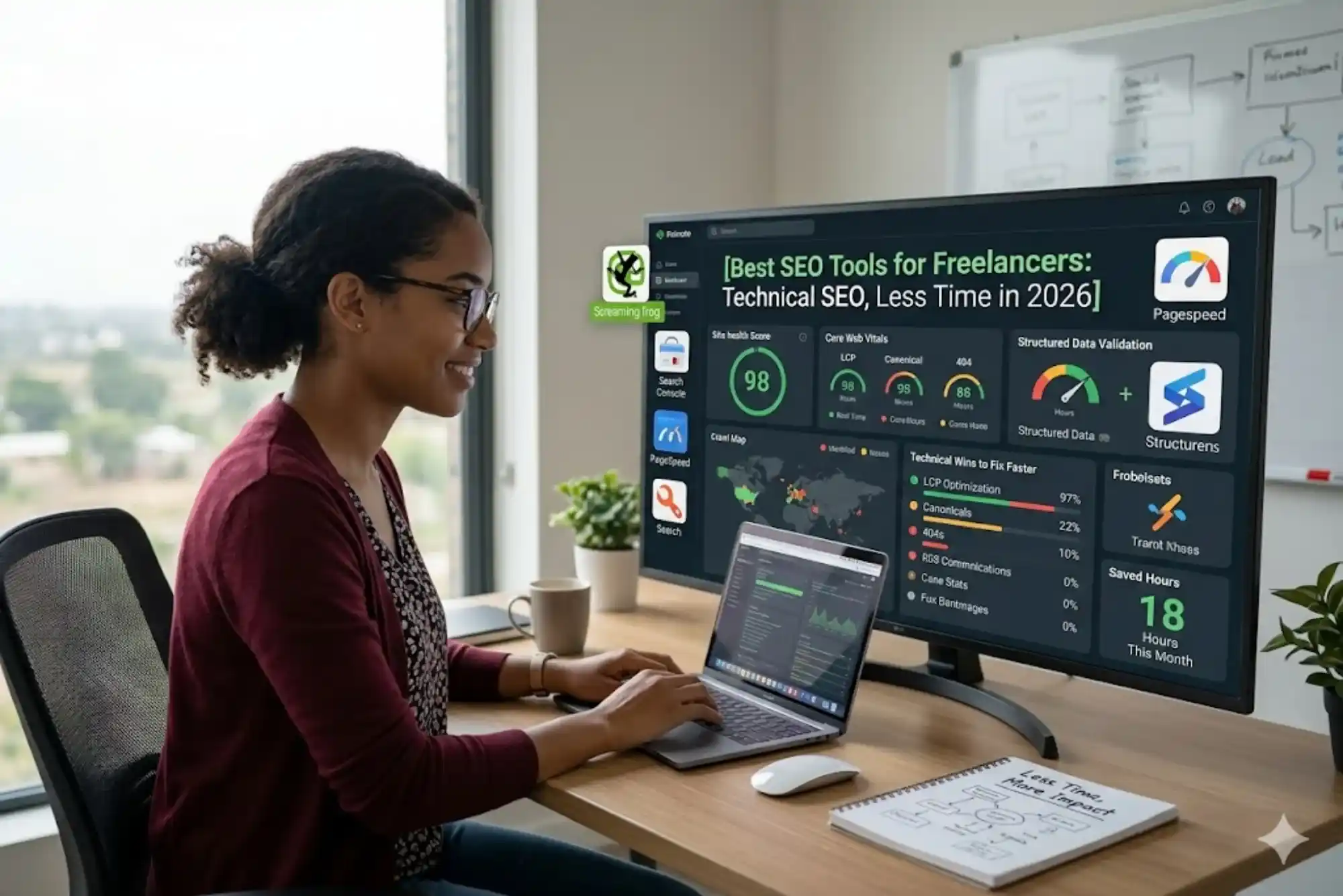
Technical SEO is where many freelancers quietly lose client confidence. A beautifully written page that fails to load quickly on mobile, a service page blocked by an accidental robots.txt entry, or a new content section that creates duplicate title tags — these are the kinds of problems that undermine otherwise strong work. What has changed significantly in 2026 is the quality and accessibility of the tools available to catch and fix these issues. Freelancers no longer need enterprise budgets or deep technical backgrounds to maintain strong site health across multiple client accounts. The right combination of tools can cover the full range of technical SEO needs efficiently — saving hours of work and protecting client results in the process.
This guide is built specifically for freelancers: solo practitioners managing multiple clients, working within budget constraints, and needing tools that produce fast, actionable results without a steep learning curve.
Why Technical SEO Is Non-Negotiable for Freelancers in 2026
The relationship between technical SEO and ranking performance has strengthened over the past few years. Google’s continued emphasis on Core Web Vitals, mobile-first indexing, and structured data eligibility means that a technically weak site faces meaningful ranking headwinds regardless of content quality. For freelancers who are paid to deliver ranking results, technical issues represent a significant risk — they can negate the impact of well-researched keyword strategies and high-quality content if left unaddressed.
The practical challenge is time. Unlike in-house teams with dedicated technical resources, freelancers must handle technical review, content creation, reporting, and client communication within the same working hours. This is where tool selection becomes genuinely strategic. The right tools reduce the time required to identify and resolve technical issues from hours to minutes, freeing capacity for the higher-value analytical and strategic work that justifies premium freelance rates.
Top Technical SEO Tools for Freelancers in 2026
| Tool | Primary Use | Cost | Time-Saving Advantage |
|---|---|---|---|
| Google Search Console | Indexing, Core Web Vitals, coverage errors | Free | Direct Google data — no third-party interpretation needed |
| Screaming Frog SEO Spider | Full site crawl, broken links, duplicate content | Free (500 URLs) / £259/year | Crawls an entire site in minutes; saved configs per client |
| PageSpeed Insights | Core Web Vitals, page load performance | Free | Instant per-URL analysis with actionable fix suggestions |
| Sitebulb | Guided crawl with visual prioritisation | From $14/month | Hint system ranks issues by impact — no manual sorting required |
| Ahrefs Site Audit | Cloud-based ongoing site health monitoring | $129/month | Automated crawls with email alerts for new issues |
| SE Ranking Site Audit | Technical checks with rank tracking integrated | $52/month | All-in-one platform reduces tool-switching time significantly |
| Google Rich Results Test | Structured data validation | Free | Instant schema markup validation per URL |
| GTmetrix | Detailed page speed and waterfall analysis | Free / $5/month paid | Historical tracking and scheduled monitoring available |
The Fastest Technical SEO Wins Freelancers Should Prioritise
Not every technical issue carries equal weight, and one of the biggest time-wasters in technical SEO is treating all flagged items with the same urgency. For freelancers working efficiently across multiple accounts, knowing which issues to prioritise — and which to schedule for later — is as important as knowing how to fix them.
Indexing and Crawlability: Always First
An unindexed page cannot rank, regardless of how technically sound everything else is. The first check for any client site should always be Google Search Console’s Coverage report. Look for pages excluded from the index and identify the cause — whether it is a noindex tag, a robots.txt block, a redirect issue, or a 404 error. Resolving indexing problems is the highest-priority technical action available to a freelancer and should precede any other work.

Screaming Frog makes this process faster by crawling the entire site and revealing all status codes simultaneously, so you can see the full picture of crawl errors, redirects, and blocked pages in a single export. For freelancers managing sites for businesses in technical services, construction, or engineering sectors — where multiple service and location pages need to be indexed and accessible to generate enquiries — this check is essential before any content or optimisation work proceeds. For context on how businesses in these sectors position themselves online, directories of electromechanical companies in the UAE illustrate the competitive landscape that technical SEO must support.
Core Web Vitals: Fast Wins With High Impact
PageSpeed Insights provides immediate, prioritised recommendations for improving Core Web Vitals performance — the Largest Contentful Paint, Interaction to Next Paint, and Cumulative Layout Shift scores that Google uses as ranking signals. For most small business websites, the biggest performance improvements come from three areas: compressing and converting images to next-generation formats, deferring non-critical JavaScript, and enabling browser caching.
Most of these fixes are implementable through CMS plugins or hosting settings without requiring developer involvement. For a freelancer, this is significant — it means Core Web Vitals improvements can typically be delivered within a standard client engagement without additional specialist cost. Running PageSpeed Insights on the five most important pages of a client site takes under fifteen minutes and typically surfaces a clear set of actionable improvements. [Insert relevant reference link here]
Structured Data: Underused but High-Value
Schema markup remains one of the most underused technical opportunities for small business websites. Adding LocalBusiness, Service, or FAQPage schema to relevant pages can trigger rich results in search — star ratings, FAQ dropdowns, business information panels — that significantly improve click-through rates without requiring a ranking change. Google’s Rich Results Test validates schema implementation in seconds, and most CMS platforms support schema insertion through plugins or built-in settings.
For freelancers serving local service businesses — whether in landscaping, logistics, or professional services — the combination of properly implemented LocalBusiness schema and a well-maintained Google Business Profile is one of the fastest ways to improve local search visibility. Businesses in the UAE’s landscaping and outdoor services sector, for example, benefit particularly from schema that surfaces their service areas and contact details directly in search results. Resources covering landscaping companies in the UAE show how competitive local search has become in this sector.
Building a Time-Efficient Technical SEO Workflow
The key to managing technical SEO across multiple freelance clients without burning out is a standardised, repeatable workflow rather than a bespoke investigation conducted from scratch for every account. Here is a practical routine that covers the most important technical areas without consuming excessive time:
Client onboarding check (once per new client): Run a full Screaming Frog crawl, review Google Search Console coverage, check Core Web Vitals status, and validate any existing structured data. Document the current state of the site as a baseline. This process typically takes two to three hours for a site of under 100 pages.
Monthly maintenance check (15–30 minutes per client): Log into Google Search Console, review the Coverage report for new errors, check Core Web Vitals for any regressions, and note any new manual actions or enhancement issues. This rapid monthly check catches new problems before they compound.
Quarterly crawl audit (1–2 hours per client): Run a fresh Screaming Frog crawl and compare against the baseline. Flag new broken links, redirect chains, duplicate content, or missing tags introduced since the last crawl. Address high-priority items immediately; schedule medium-priority fixes for the next sprint.
Post-update check (30 minutes after any significant site change): After a redesign, new page launch, or plugin update, run a targeted crawl of the affected pages in Screaming Frog and confirm in Search Console that key pages remain indexed and accessible.
This four-point routine keeps technical SEO manageable across any number of client accounts and prevents the reactive scrambles that happen when problems are only discovered after rankings have already fallen. For freelancers working with clients in fast-moving sectors — from software companies to logistics and transport providers — maintaining this regular technical oversight directly protects the organic traffic that drives client revenue. Businesses listed in sector directories like software company listings in the UAE illustrate how important consistent technical site health is for sustained digital visibility.
Free vs Paid Technical SEO Tools: What Freelancers Actually Need
The question of whether to invest in paid technical SEO tools depends primarily on how many clients you manage and how complex their sites are. For freelancers with fewer than five active SEO clients, the free tier of tools covers most needs adequately. As the client base grows, the efficiency gains from paid platforms — particularly automated monitoring and multi-project management — justify the investment.
| Freelancer Stage | Recommended Tool Stack | Estimated Monthly Cost |
|---|---|---|
| Early stage (1–3 clients, sites under 100 pages) | Google Search Console + PageSpeed Insights + Screaming Frog (free) + Rich Results Test | Free |
| Growing (3–7 clients, some larger sites) | Above + Sitebulb or SE Ranking for guided auditing and monitoring | $14–$52/month |
| Established (7+ clients or complex sites) | Above + Ahrefs or Semrush for automated monitoring and competitor data | $52–$139/month |
The progression above reflects how tool needs evolve with client volume. At the early stage, manual processes with free tools are manageable and cost-effective. As the client base grows, the time saved by automated crawling, alert systems, and integrated dashboards outweighs the subscription cost by a significant margin.
Common Technical SEO Mistakes Freelancers Make — and How to Avoid Them
Auditing once and never returning: Technical SEO is maintenance, not a one-time project. Sites change constantly — through plugin updates, content additions, and structural modifications. A monthly check-in is the minimum viable cadence for catching new issues promptly.
Fixing low-priority issues before critical ones: The instinct to tackle long lists of warnings before resolving indexing or server errors wastes time and delays meaningful results. Always prioritise issues by their actual impact on crawlability and ranking potential.
Neglecting mobile performance: Most small business clients receive the majority of their organic traffic on mobile devices, yet mobile-specific issues — oversized tap targets, slow mobile load times, content wider than the viewport — frequently go unchecked. Google’s Mobile Usability report in Search Console flags these directly.
Forgetting to verify structured data after site updates: Schema markup can break silently when a site undergoes template changes or CMS updates. A quick validation check using the Rich Results Test after any significant update prevents structured data from disappearing without notice.
Over-relying on one tool: No single tool catches everything. A combination of a crawl tool, a speed checker, and Google’s own platform data is more reliable than any one platform used in isolation.
Frequently Asked Questions
Do freelancers need coding knowledge to fix technical SEO issues?
For most common technical SEO problems, coding knowledge is not required. Missing meta tags, slow images, broken internal links, and mobile usability issues are typically resolvable through CMS plugins or platform settings. More complex issues involving server configuration or JavaScript rendering may require developer support, but these represent a minority of common problems.
How long does a technical SEO audit take for a small business site?
For a site with under 100 pages, a thorough technical audit using the tools described in this guide takes approximately two to three hours for the initial onboarding review. Monthly maintenance checks can be conducted in fifteen to thirty minutes once a systematic routine is established. Quarterly crawl audits take one to two hours depending on site size and complexity.
Which is more important for freelancers — content quality or technical SEO?
Both matter and neither compensates for deficiencies in the other. Strong technical foundations ensure that well-written content can be found, indexed, and ranked. Without technical health, content quality is limited in how far it can carry a site’s performance. The most effective freelance engagements address both in parallel rather than treating them as competing priorities.
Final Thoughts
Technical SEO does not need to consume a disproportionate amount of a freelancer’s time — but it does need consistent attention. The tools available in 2026 make this achievable without specialist knowledge or significant investment, particularly at the early stage of building a freelance client base. Start with the free tools, build a repeatable routine, and invest in paid platforms as your client volume grows and the efficiency gains justify the cost.
Freelancers who deliver technically clean, well-maintained websites alongside strong content and keyword strategy build a reputation that attracts and retains higher-value clients. In competitive markets like the UAE — where businesses across sectors from logistics to professional services increasingly depend on organic search to generate qualified enquiries — technical reliability is a professional standard, not an optional extra. For freelancers looking to stay current with the digital landscape and business environment they serve, resources covering technology and IT industry developments provide useful context for understanding how technical SEO intersects with broader digital strategy priorities.
Related Reading: 5 Common Mistakes First-Time Dubai Investors Make (And How to Avoid Them)
Related Reading: Best Time to Play Badminton for Better Fitness and Performance